 subverge
Tabs
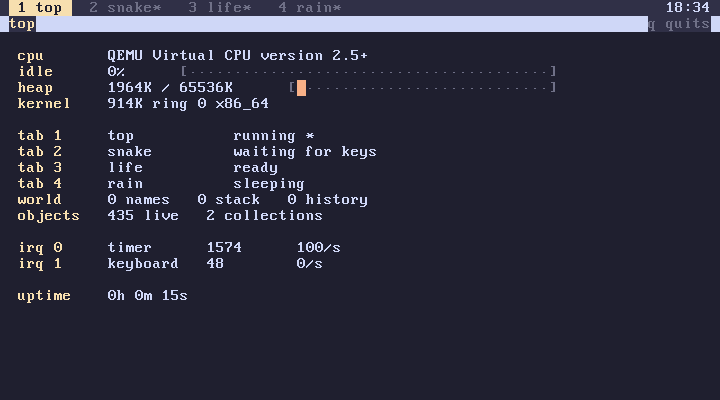
Subverge has four tabs, switched with F1 to F4. Each runs its own omega with its own world, and all four run concurrently. The number is fixed.
Each tab has its own stack, definitions, back history, prompt history and screen. They share root, so a root edit is visible in all four as soon as it builds.
The tab bar
The current tab is highlighted and the clock is on the right. A * marks a tab that has printed something since you last viewed it, which shows when a job in another tab has finished or failed.
"build" title       renames this tab
mytab               which tab this is
2 tab               [ title state active ] for tab 2
Tabs are numbered from 1, unlike everything else in omega.
Scheduling
The tabs are scheduled preemptively, so a tab stuck in a loop doesn't block the others. A tab waiting for a key uses no CPU, and only the visible tab receives keys. top shows all four. The scheduler page has the details.
Tab 1 runs startup at boot (startup).
Stopping a tab
Ctrl-C interrupts the running line. If it doesn't get through, switch to another tab and leave it running. One tab can't stop another except by reboot, which is safe on an installed disk since everything has already been saved.
